Most organisations have the same problem, even if they describe it differently.
A field engineer needs to raise a ticket in the internal ITSM platform. A finance manager needs to approve a payment in the ERP system. A salesperson needs to pull a record from the CRM, not the cloud version, the internal one, sitting behind the corporate firewall. They're on their personal phone. They're off the corporate network. And the app simply won't load.
So they wait until they're back at their desk. Or they find a workaround a screenshot sent via WhatsApp, a colleague who pulls the data for them, an informal process that creates an audit gap the security team doesn't know about.
This is the hidden cost of locking internal apps to the corporate perimeter. The apps are protected. But the business pays for that protection in friction, delays, and workarounds that introduce the very risks the lockdown was meant to prevent.
Why Internal Apps Stay Locked Down
The lockdown exists for good reasons. Internal applications - ERP systems, HR platforms, finance tools, custom-built web apps, legacy portals, often contain an organisation's most sensitive data. Exposing them directly to the internet creates an attack surface that most security teams aren't willing to accept.
So access gets restricted to corporate network connections: on-site, or via VPN. That works fine for managed laptops. It doesn't work at all for personal mobile devices, where deploying a full corporate VPN client means either enrolling the device in MDM, a conversation most employees resist, or accepting that the device falls outside the security model entirely.
The result is a two-tier access model that nobody designed intentionally. Managed desktops can reach everything. Personal mobile devices can reach almost nothing that matters. And increasingly, that's where your people are when they need to get things done.
A Browser That Bridges the Gap
The same problem extends beyond purely internal apps. CRM platforms locked to SSO that won't authenticate outside a managed device. Ticketing systems configured to block access from unrecognised endpoints. Finance tools, HR portals, collaboration platforms, anything where Conditional Access policies or network restrictions make personal mobile a dead end. The use case is the same: employees who need to get things done, and a security model that was built for the office.
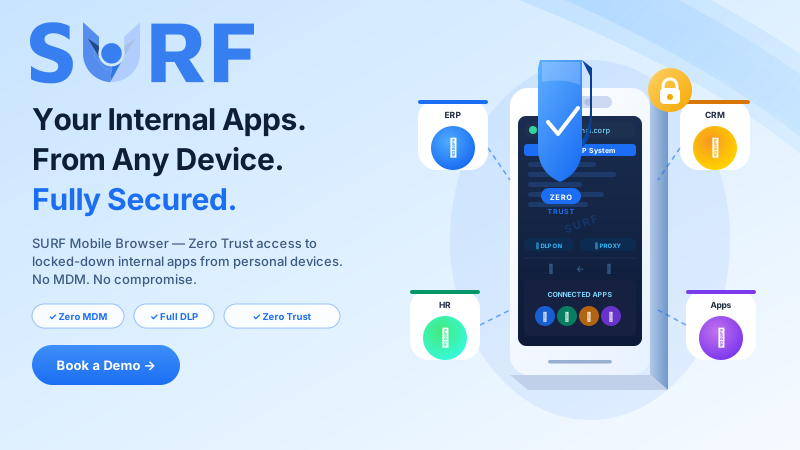
SURF Mobile Browser is built specifically for this problem. It gives employees secure, policy-controlled access to internal applications and corporate SaaS from their personal iOS or Android device, without MDM enrolment, without a device-level VPN, and without exposing those applications to the open internet.
The architecture is straightforward: SURF Mobile routes work traffic through a controlled proxy layer, which means internal apps that are locked to specific network paths remain protected, but accessible from anywhere, through the SURF session. From the application's perspective, the request looks like it's coming from a trusted, controlled environment. From the employee's perspective, they open a browser and the app loads.
No waiting to get back to a desk. No workarounds. No informal processes filling the gap.
Critically, this works without touching the personal device beyond the browser itself. There's no MDM profile, no device agent, no access to personal apps or data. SURF operates entirely within its own browser context, which makes the employee privacy conversation simple and the IT deployment conversation even simpler.
Locked Down Doesn't Mean Uncontrolled
Giving employees access to sensitive internal apps from personal devices introduces an obvious question: what stops them taking that data with them?
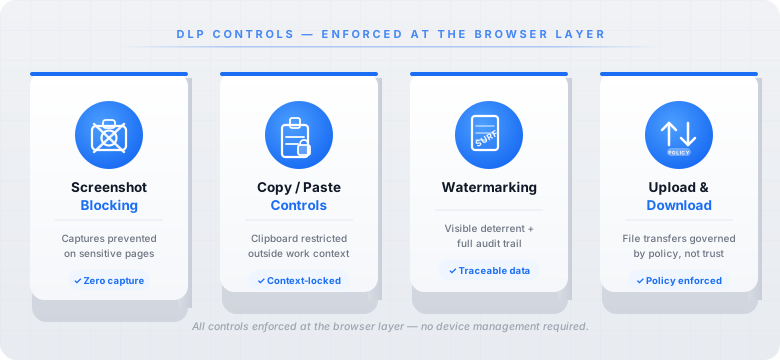
SURF Mobile enforces a full DLP policy layer within every session, specifically designed for this scenario:
- Screenshot blocking: sensitive pages inside internal apps can't be captured, so confidential data stays within the session even on an unmanaged device
- Copy/paste controls: content accessed inside the work browser can't be freely pasted into personal apps, messaging platforms, or notes
- Watermarking: documents and data rendered inside the session can be watermarked, creating a visible deterrent and an audit trail if data does leave the environment
- Upload and download controls: file transfers are governed by policy, preventing documents from being saved to personal storage or shared outside approved channels
These controls sit at the browser layer. They don't require device management to function. They apply to every internal app accessed through SURF, whether that's a decades-old internal portal or a modern web application, without any changes to the applications themselves.
Access That Works Like the Business Needs It To
Internal apps get locked down to protect the organisation. That logic is sound. But protection that comes at the cost of operational agility isn't a complete solution, it just shifts the risk from the network to the process layer, where workarounds live.
SURF Mobile closes that gap. Internal apps stay protected. Access stays controlled. And your people can reach what they need, from wherever they are, on the device they actually have with them.
Want to see how it works with your internal app stack? Book a demo